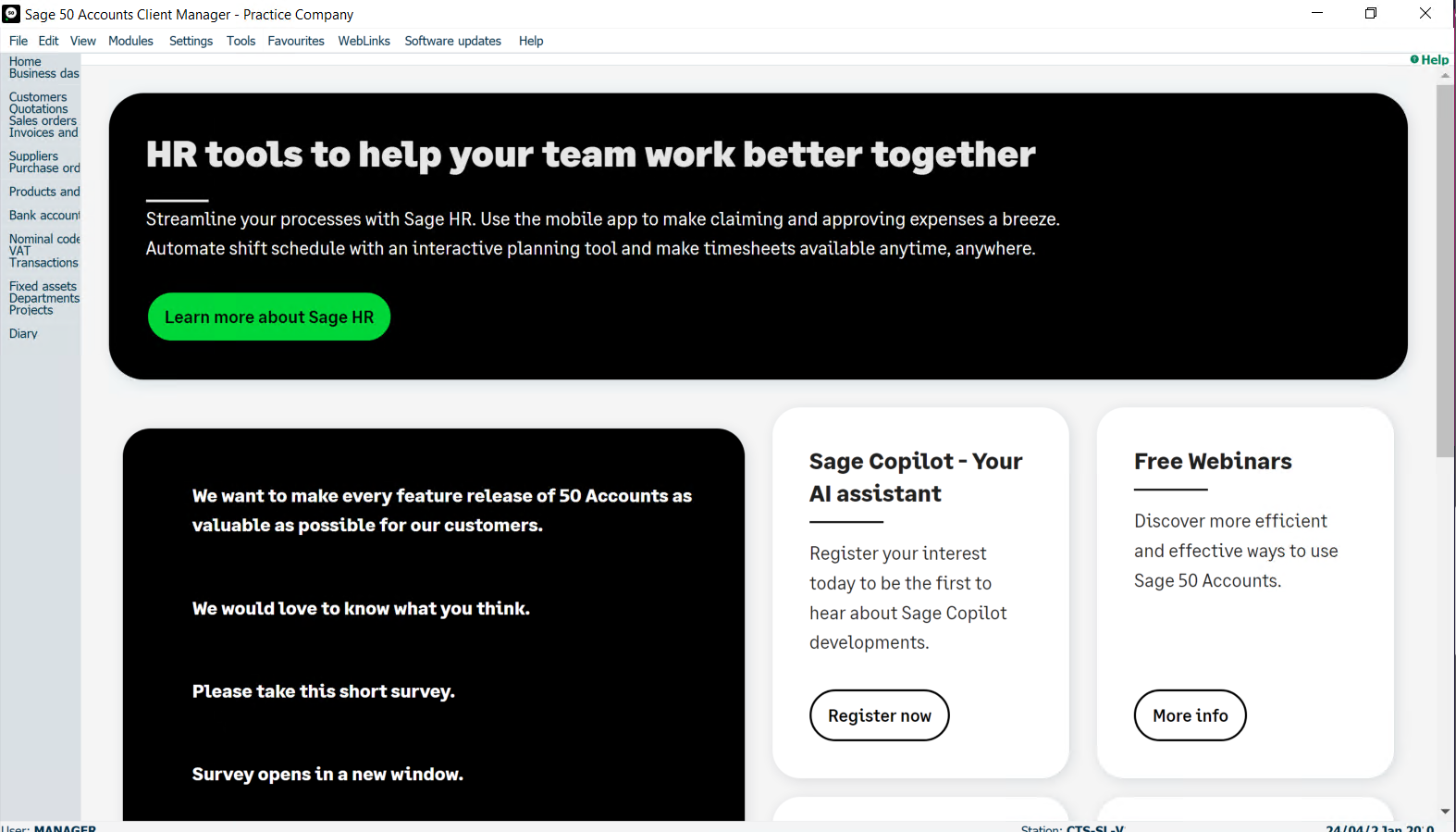
1) Open Sage 50 and Log into your Company As manager
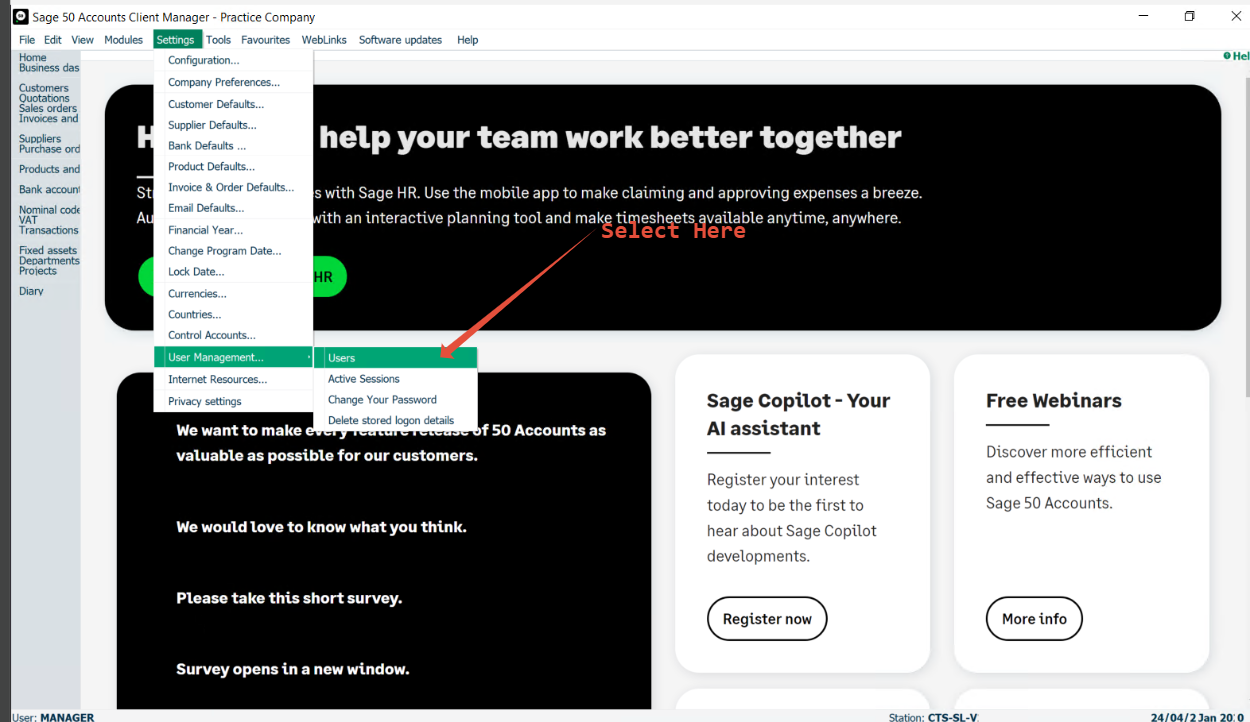
2) Then Go to settings > User Management.Users
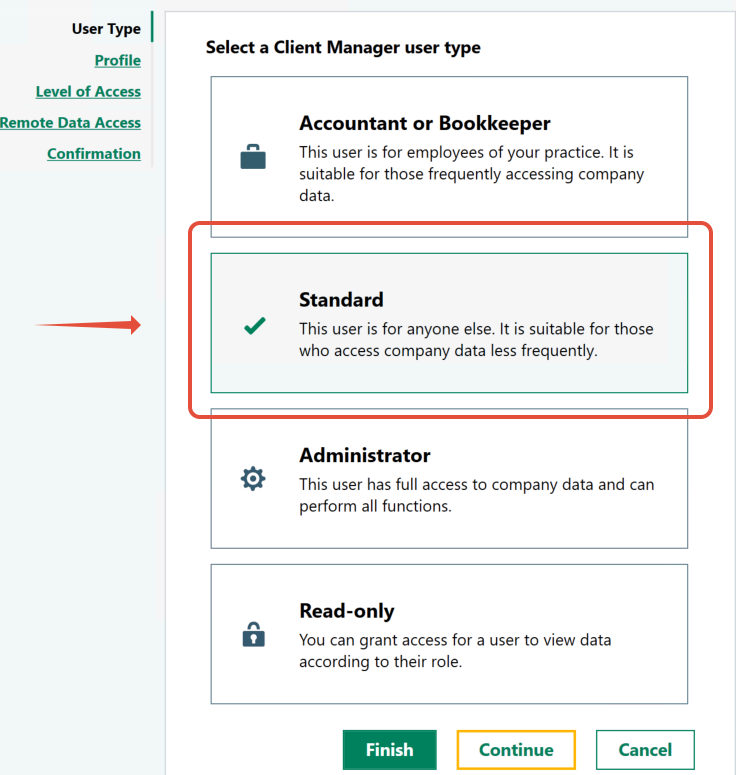
Then Select New on the users window
Set the User type as standard
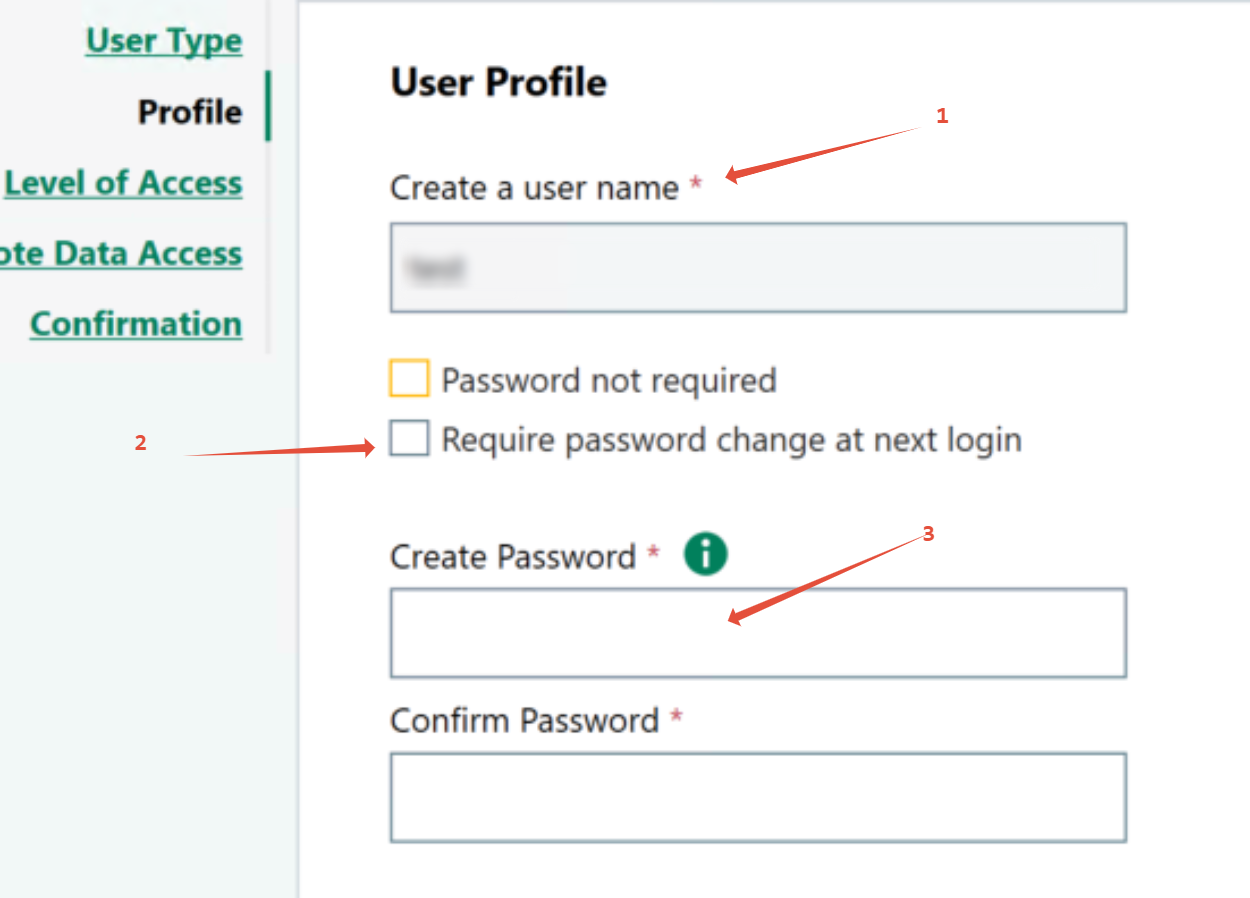
Then Give Your user a User Name and Password and Set the password to change on next Login
Then Give your user the following Premissions as seen below
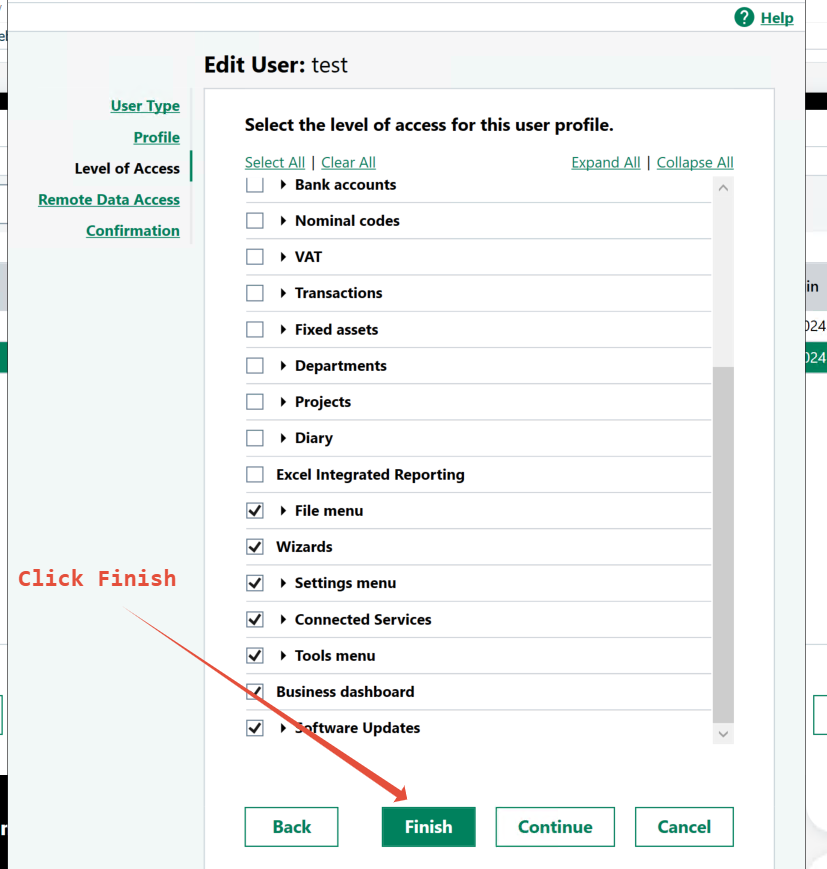
On The Remote Data Acess Screen Click Finish
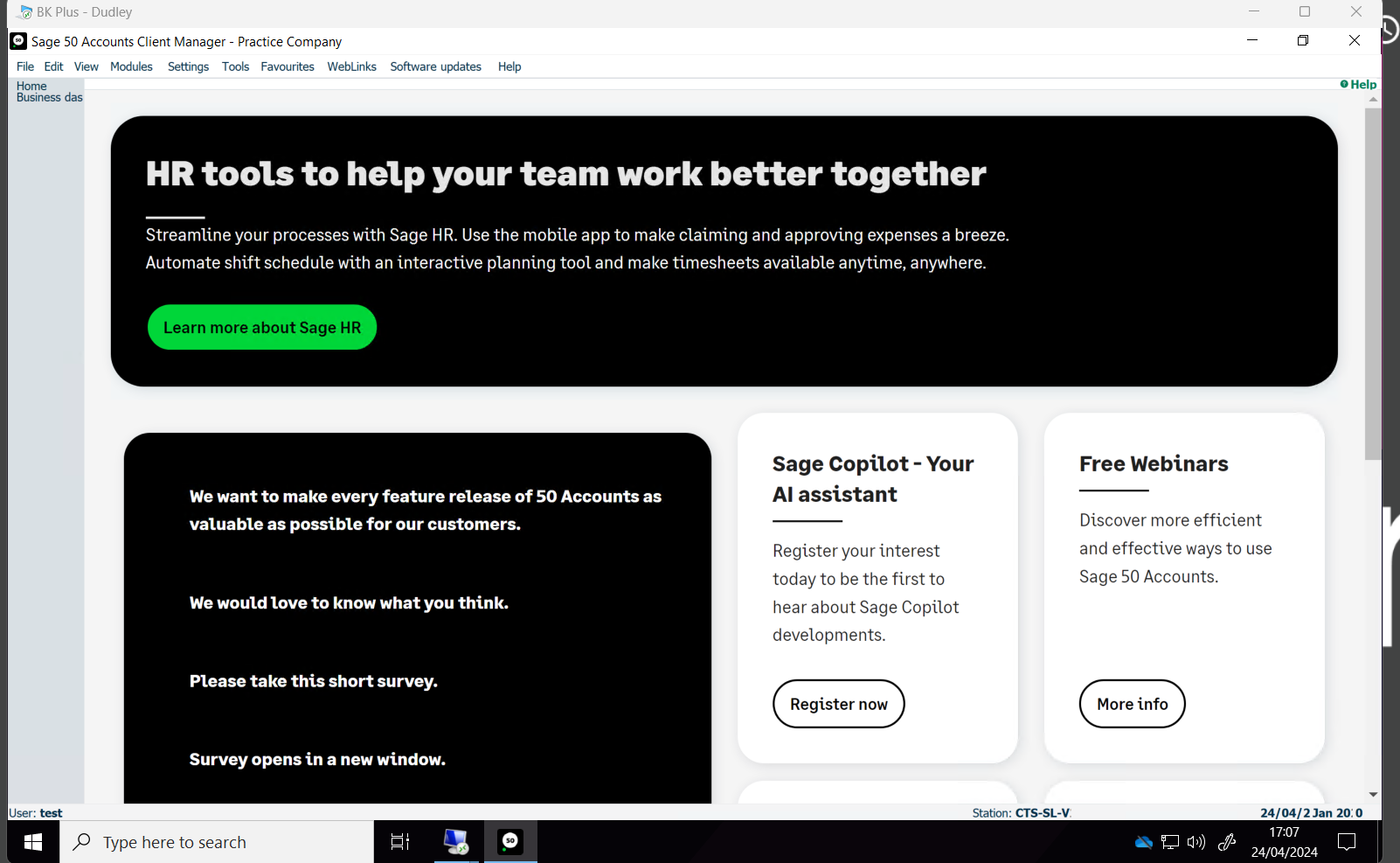
This then Creates a Secure technician Account That is Restricted and dosent show financil Account information
Was this article helpful?
That’s Great!
Thank you for your feedback
Sorry! We couldn't be helpful
Thank you for your feedback
Feedback sent
We appreciate your effort and will try to fix the article