During our call we may be required to get connected to your device.
You can do this by clicking on the start button next to "type here to search".

Then, search for a program called "Quick Assist".

Then, await a code from the helpdesk engineer and click submit.
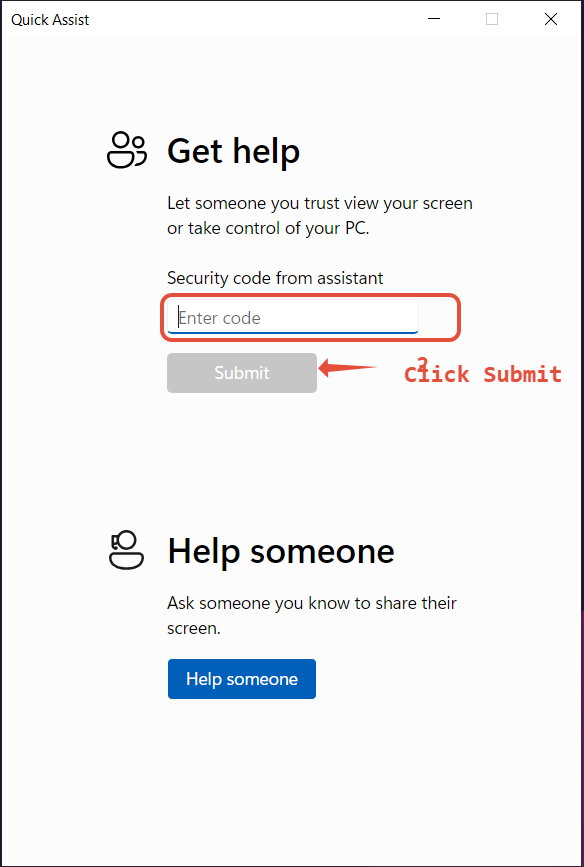
This will then get one of the engineers connected
You should now get the below screen, click allow so the engineer can gain access to your device.
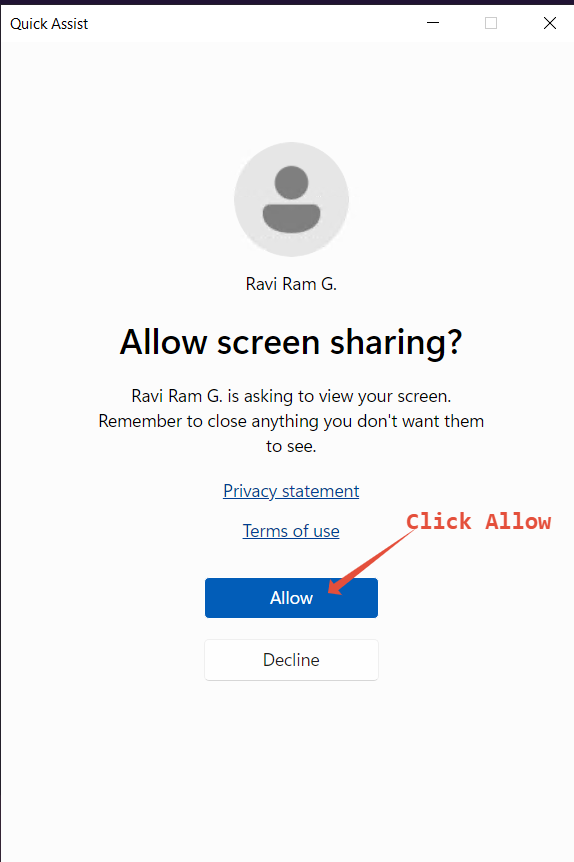
Your agent will then be able to view your screen
You will then see the below box that will ask you to allow the engineer to control your device.

You need to allow control, this will allow the helpdesk technician to interact with your device and fix the issue.
Was this article helpful?
That’s Great!
Thank you for your feedback
Sorry! We couldn't be helpful
Thank you for your feedback
Feedback sent
We appreciate your effort and will try to fix the article