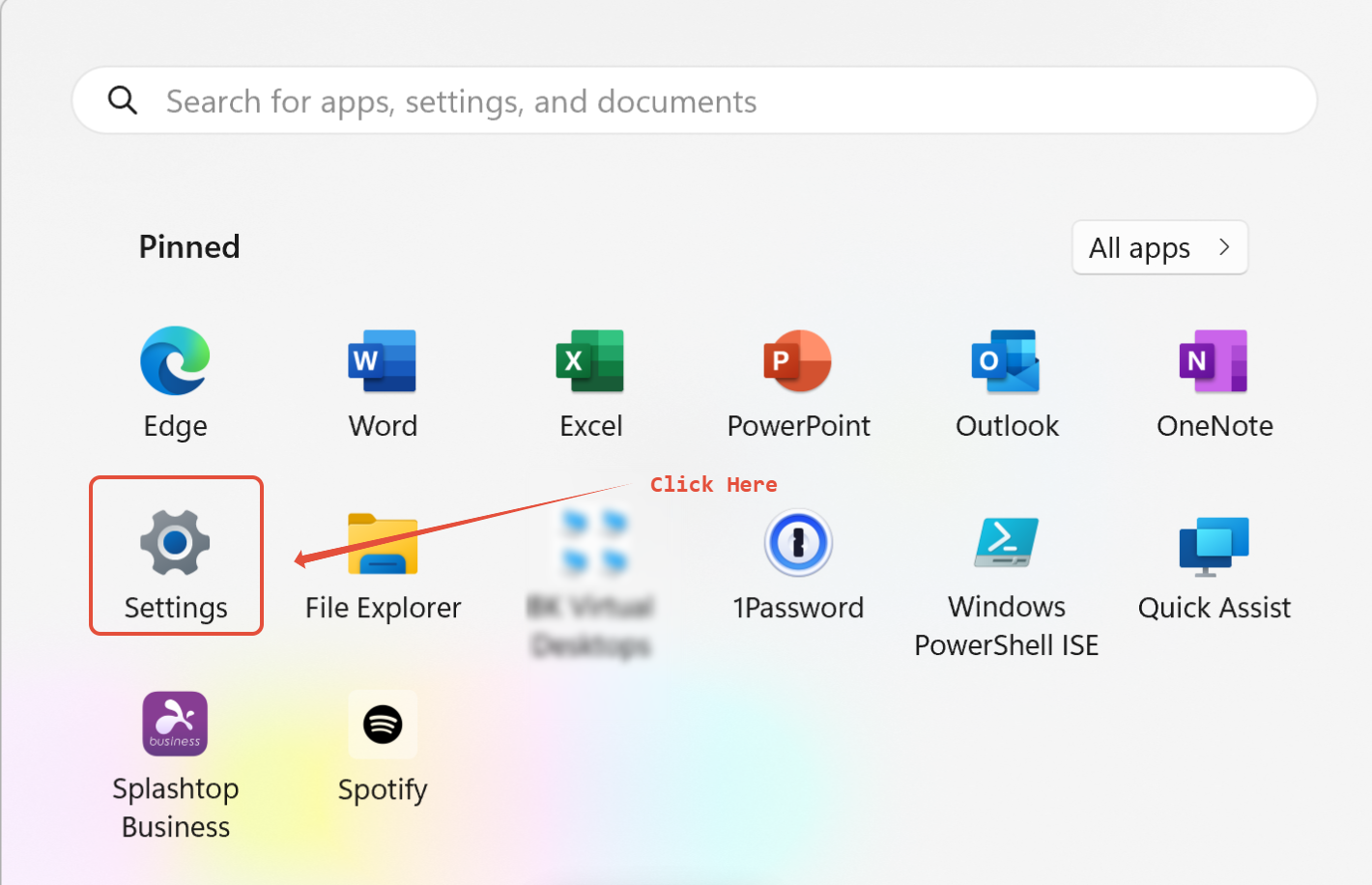
1) Go to your start button, then select settings.
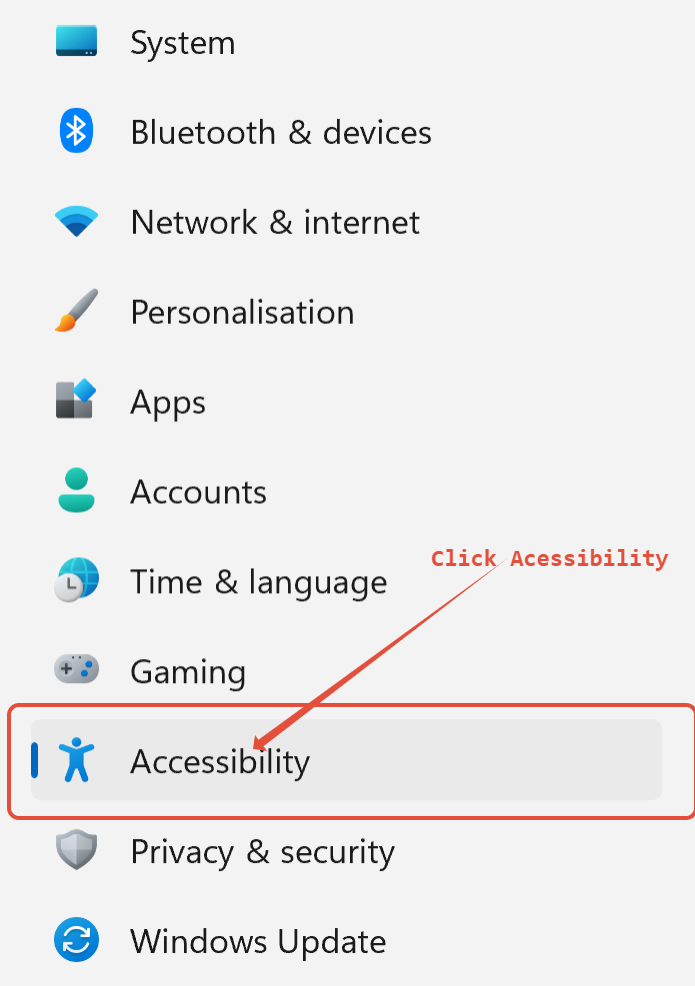
Next, go to accessibility.
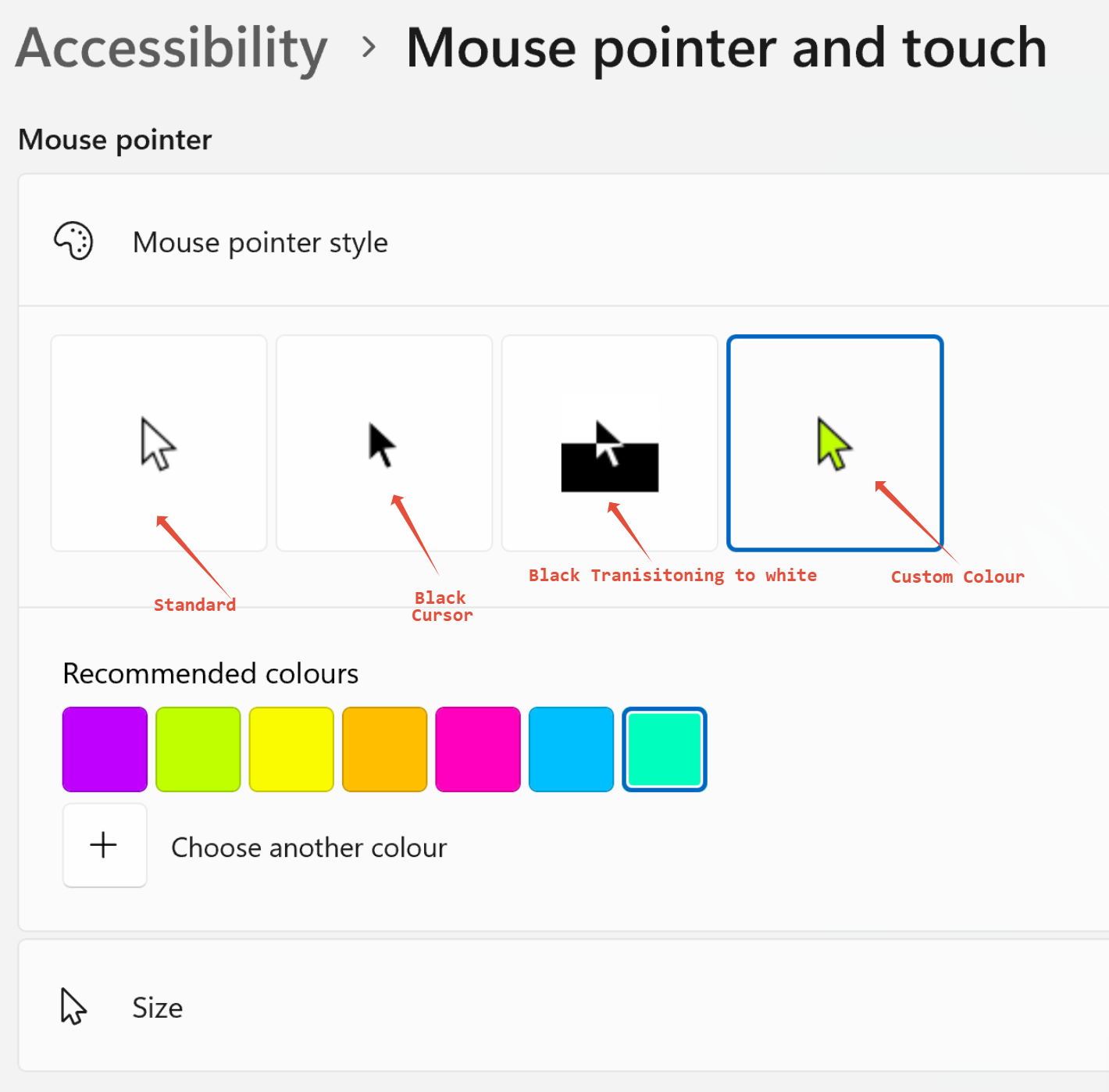
Then click "Mouse pointer and touch"
Then as shown in the following image below, you can choose between 4 styles
1) Standard
2) Black Cursor
3) Inverted Cursor
4) Custom Colour Cursor
You can also change the size of your cursor to make it more visible and easy to track when moving it across your screen.
I prefer to have a custom colour, my chosen colour has been recommend below, this colour makes it so that my cursor is different to anything on my screen and is easy for me to see.
Was this article helpful?
That’s Great!
Thank you for your feedback
Sorry! We couldn't be helpful
Thank you for your feedback
Feedback sent
We appreciate your effort and will try to fix the article