How to Answer a Call
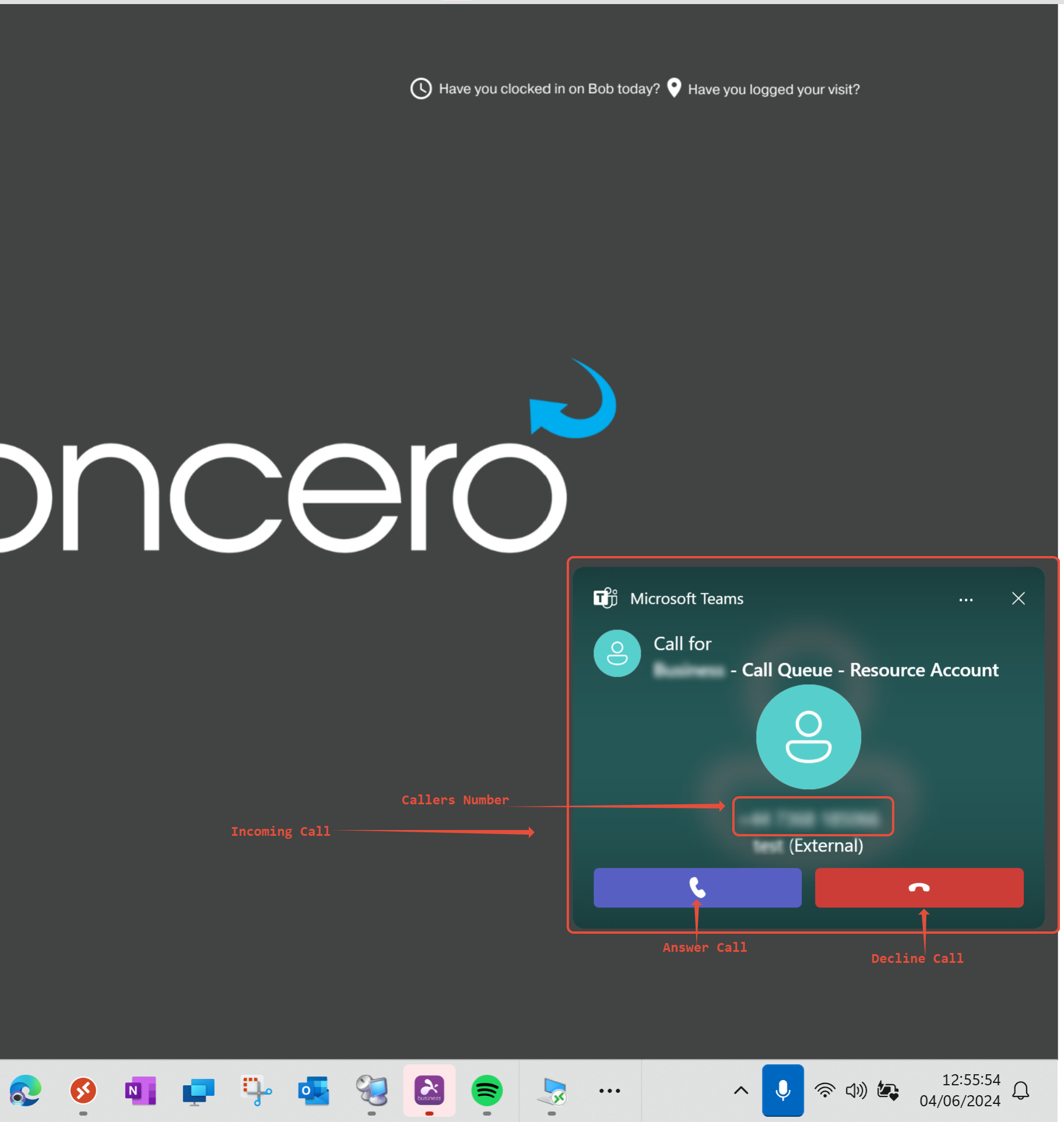
1) A call will appear in the bottom right corner of your screen, it will show the number or unknown if the number is hidden. In the box, you get the option to answer with the box on the left or decline with the box on the right.
How to Transfer a call
If you need to transfer a call to a team member, or another contact, you can do this by following the steps below.
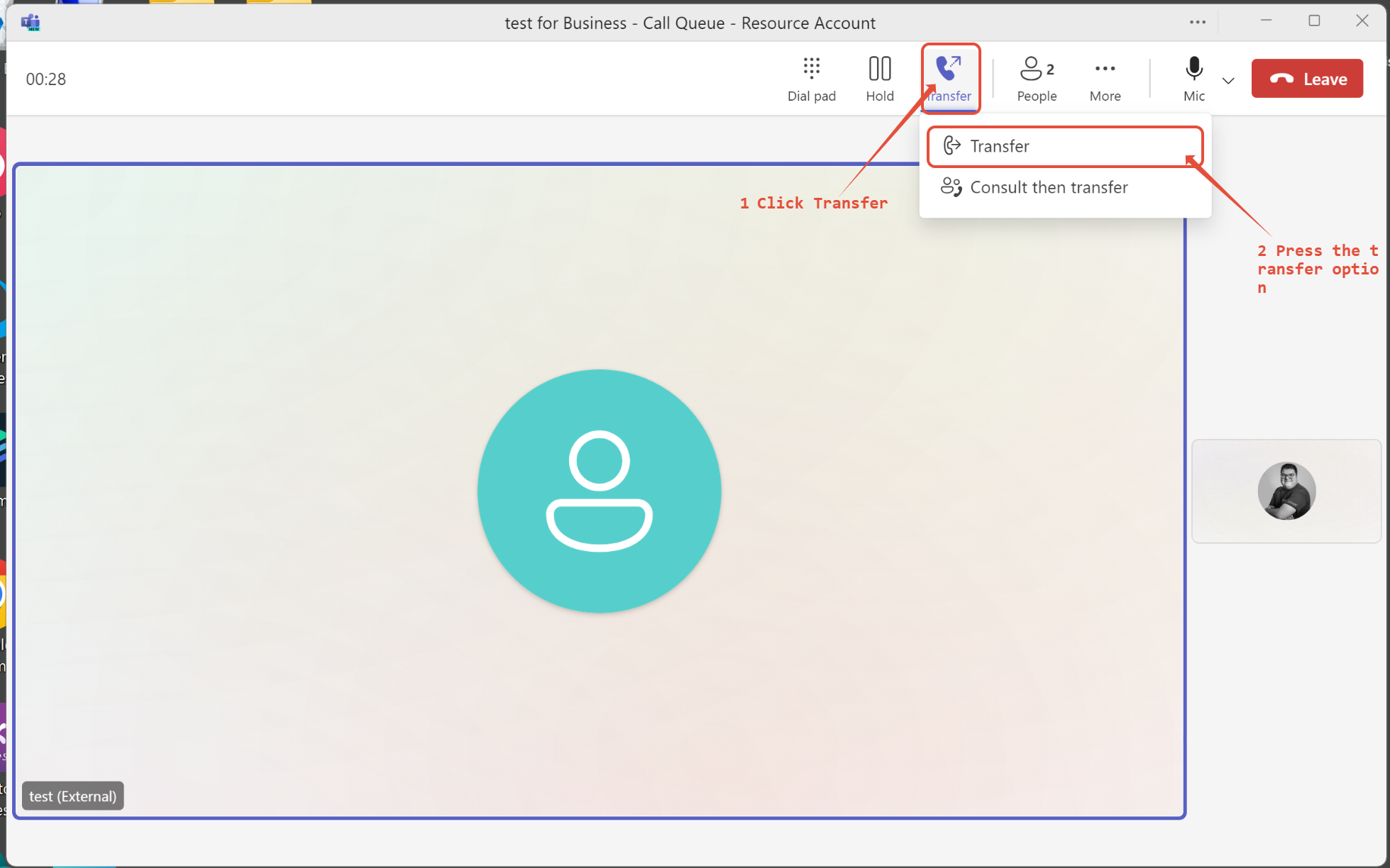
1) While in a call, you will see a few options at the top of the teams call window, one of which says transfer with a phone and arrow icon.
2) Move your mouse to this location and click on it.
3) The system will display a drop-down menu with the options 'Transfer' or 'Consult then transfer.' The 'Consult then transfer' option allows you to confirm with the person you wish to transfer to that they are available to take the call before you pass it through.
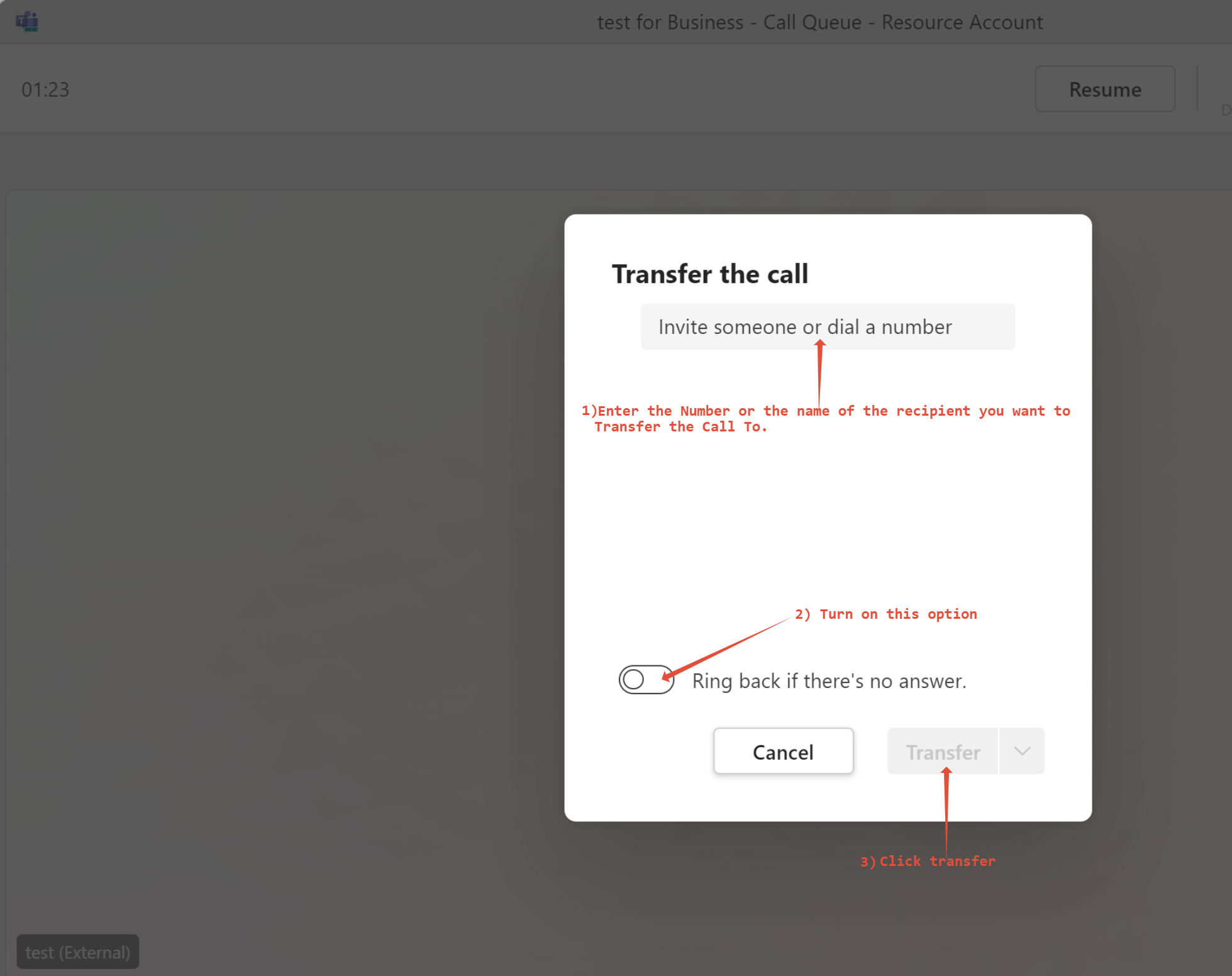
2) In the search box, type the persons contact name or number you would like to transfer to, then turn on the 'Ring back if there's no answer' option and click transfer.
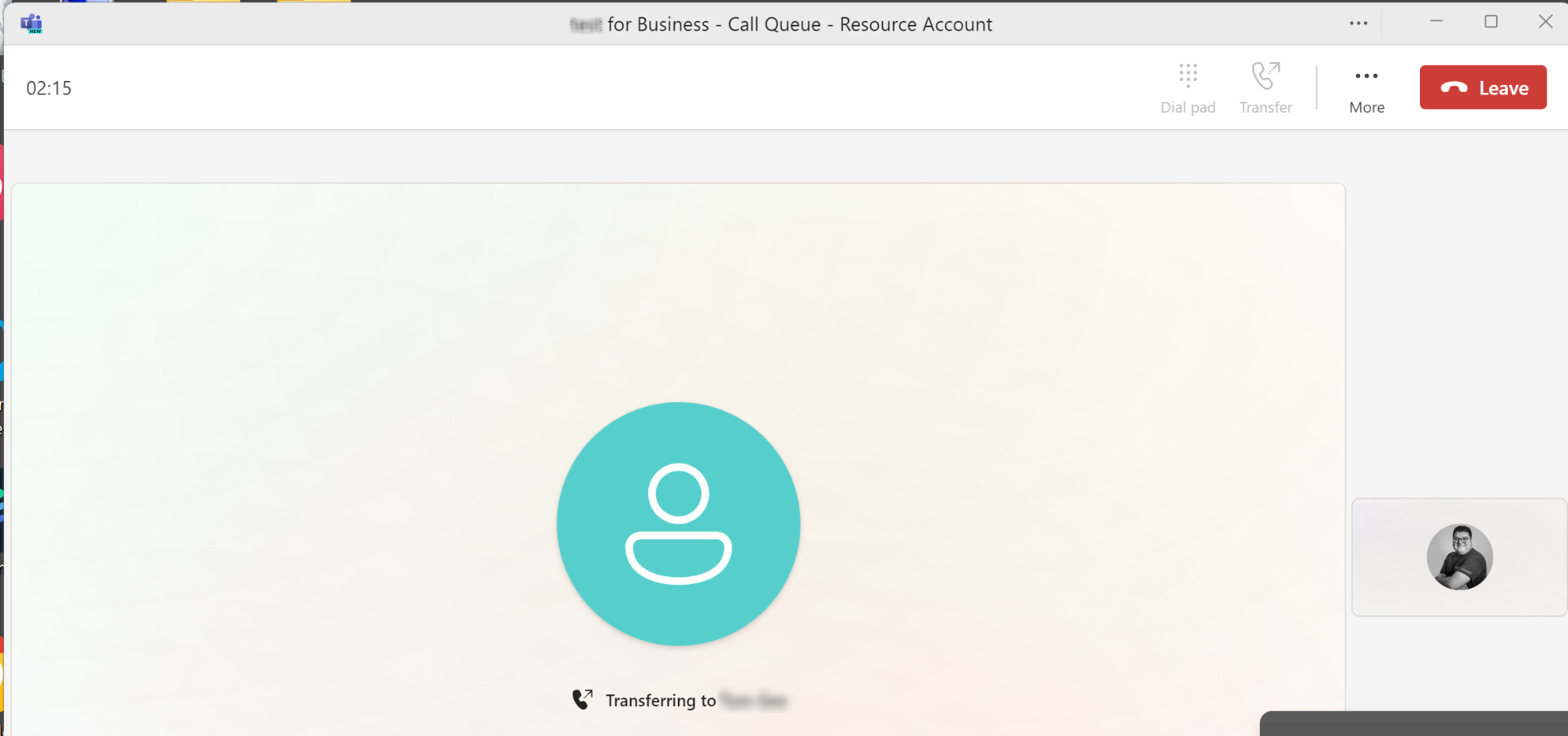
3) The call will then start the transfer, it will just disappear when successfully transferred.
How to Place a Call on Hold
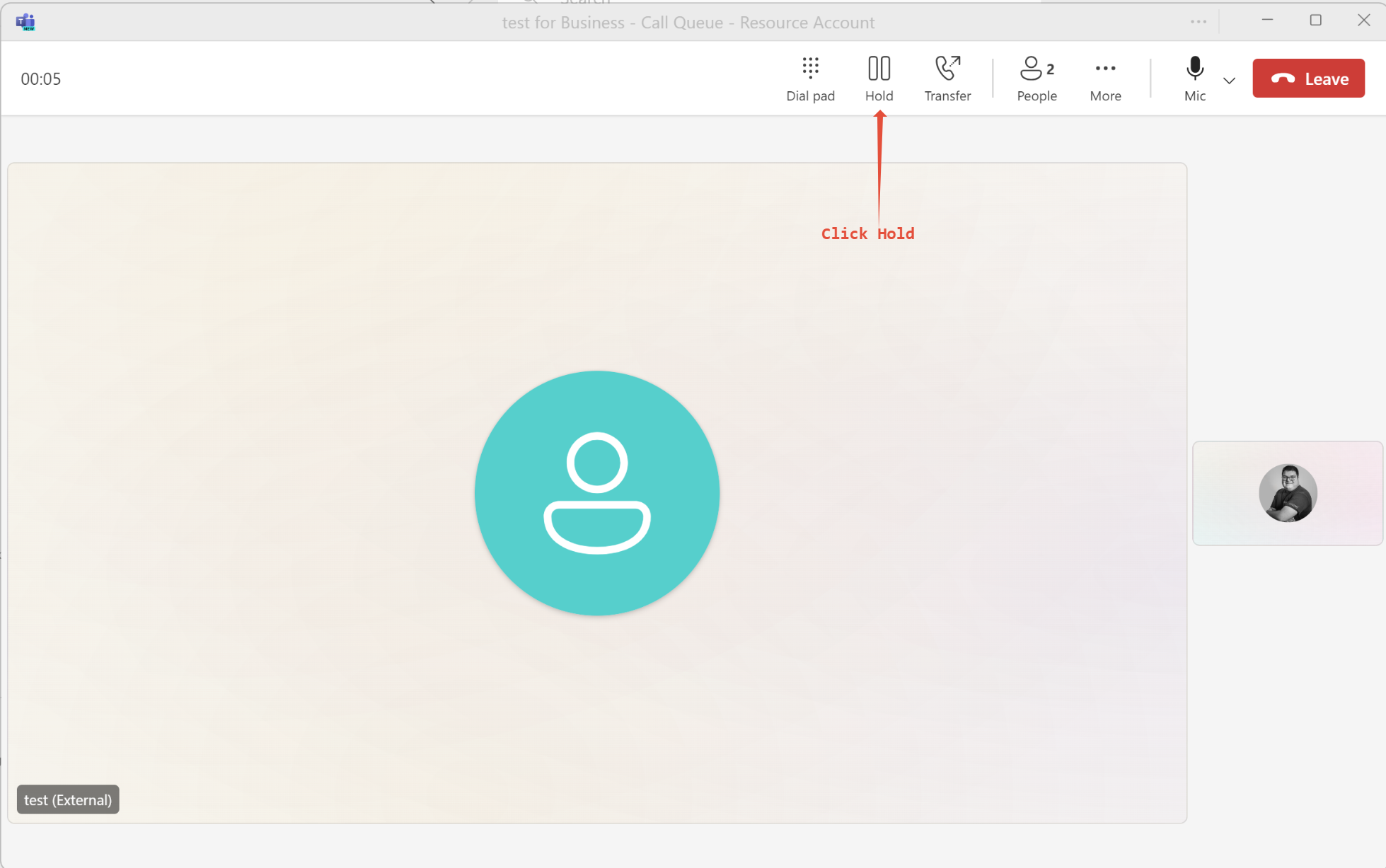
To place a call on hold, click the 'Hold' button located to the left of the transfer button at the top of the teams call window.
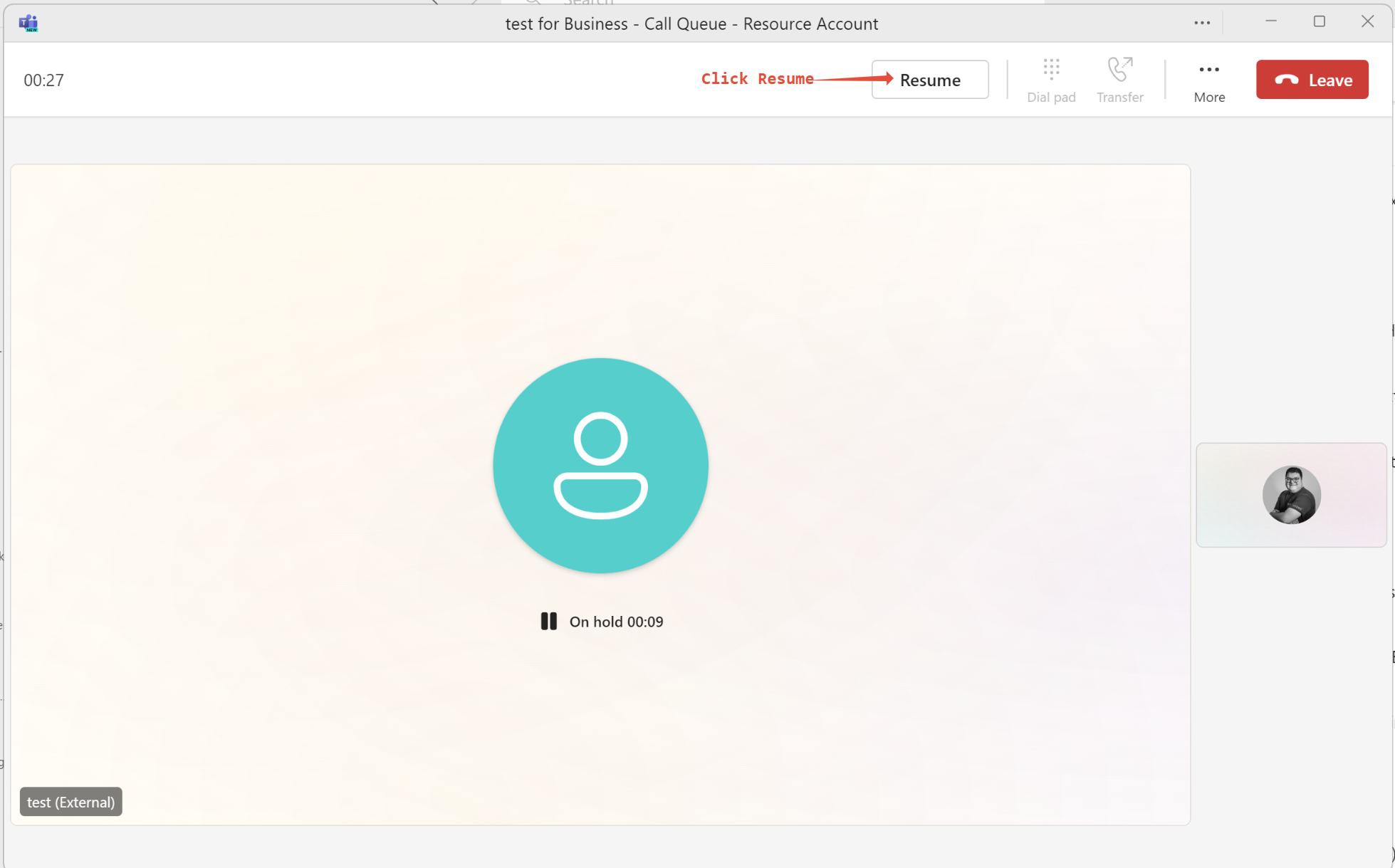
When you wish to resume the call, click the 'Resume' box at the top of the screen.
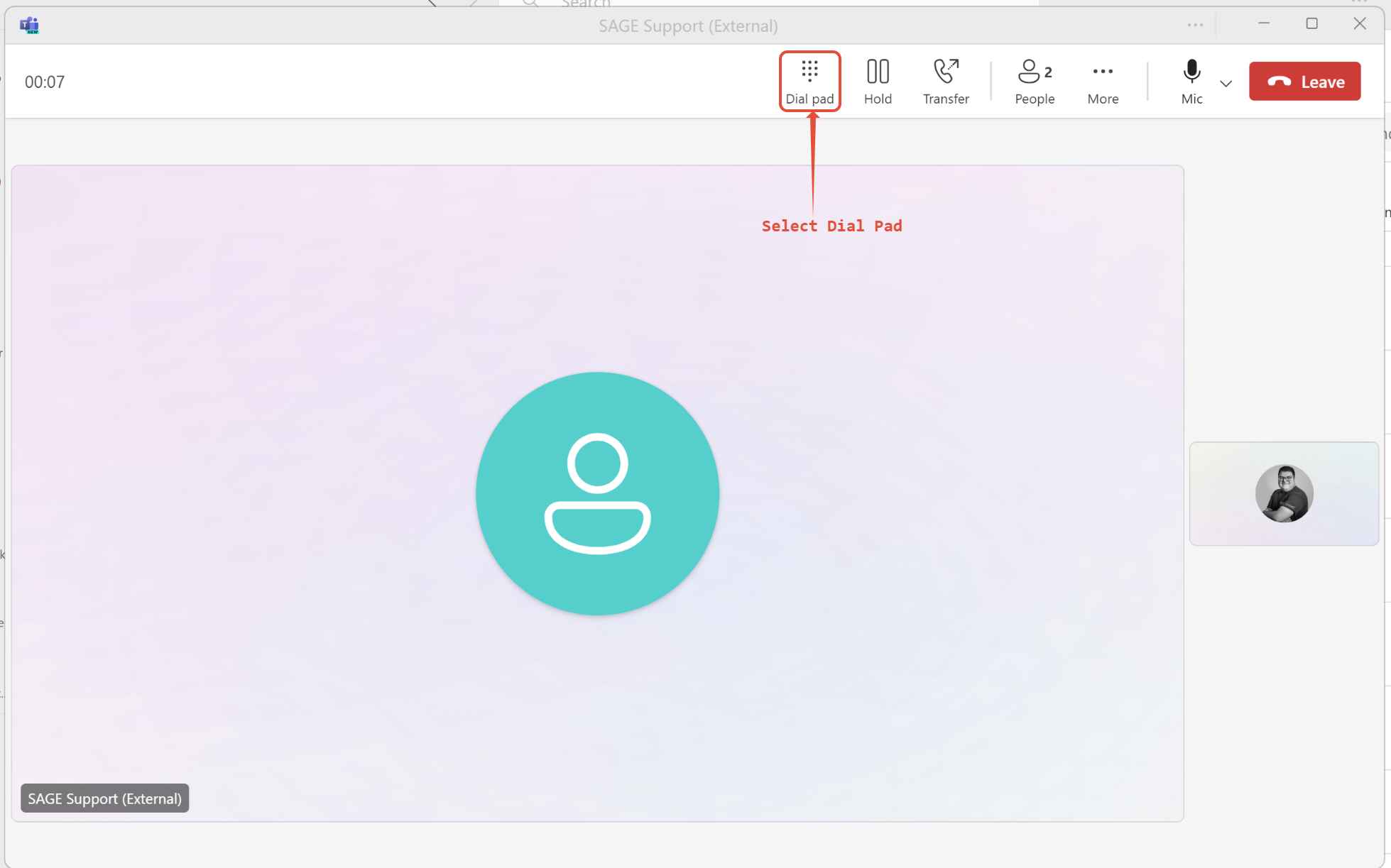
1) To use the dial pad, click the 'Dial pad' icon located in the top of the teams call window.
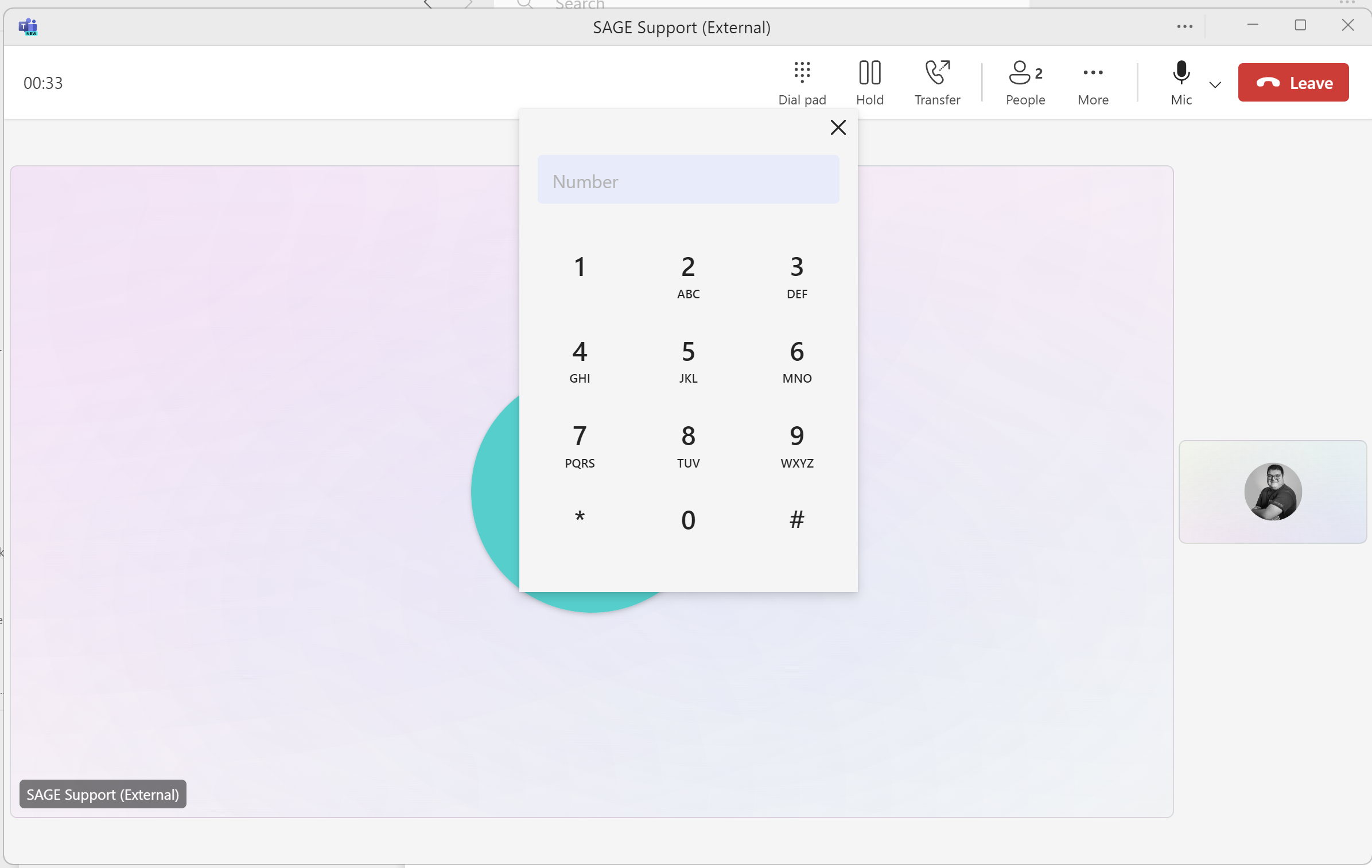
2) Enter the phone number in the dial pad.
How to Make a Call
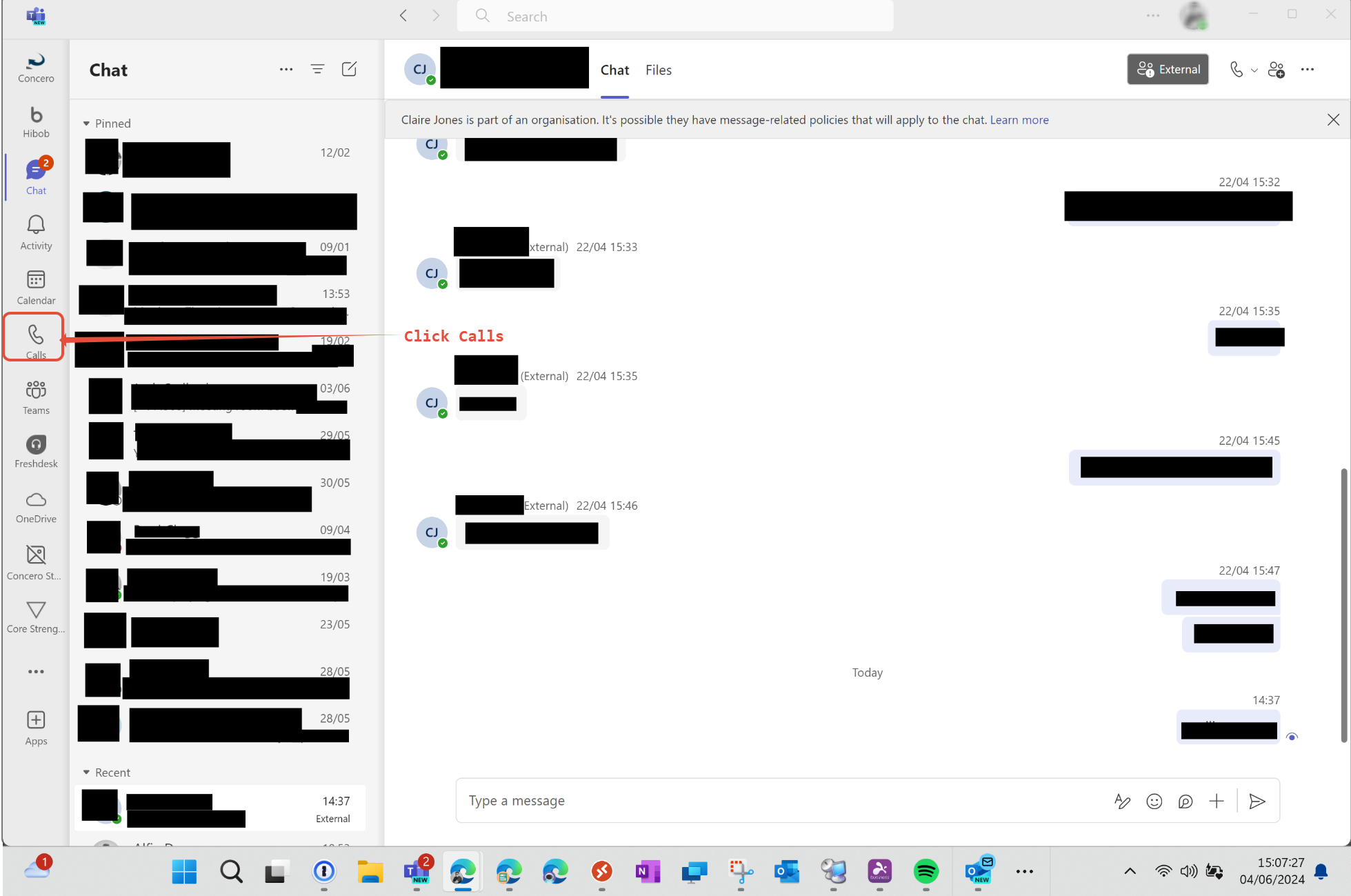
1) To make a call, click the 'Calls' icon located in the sidebar on Teams.
The below screen will have a dialling pad and a space to enter the number of who you would like to call, you can then click call under the dial pad to start calling the number you entered.
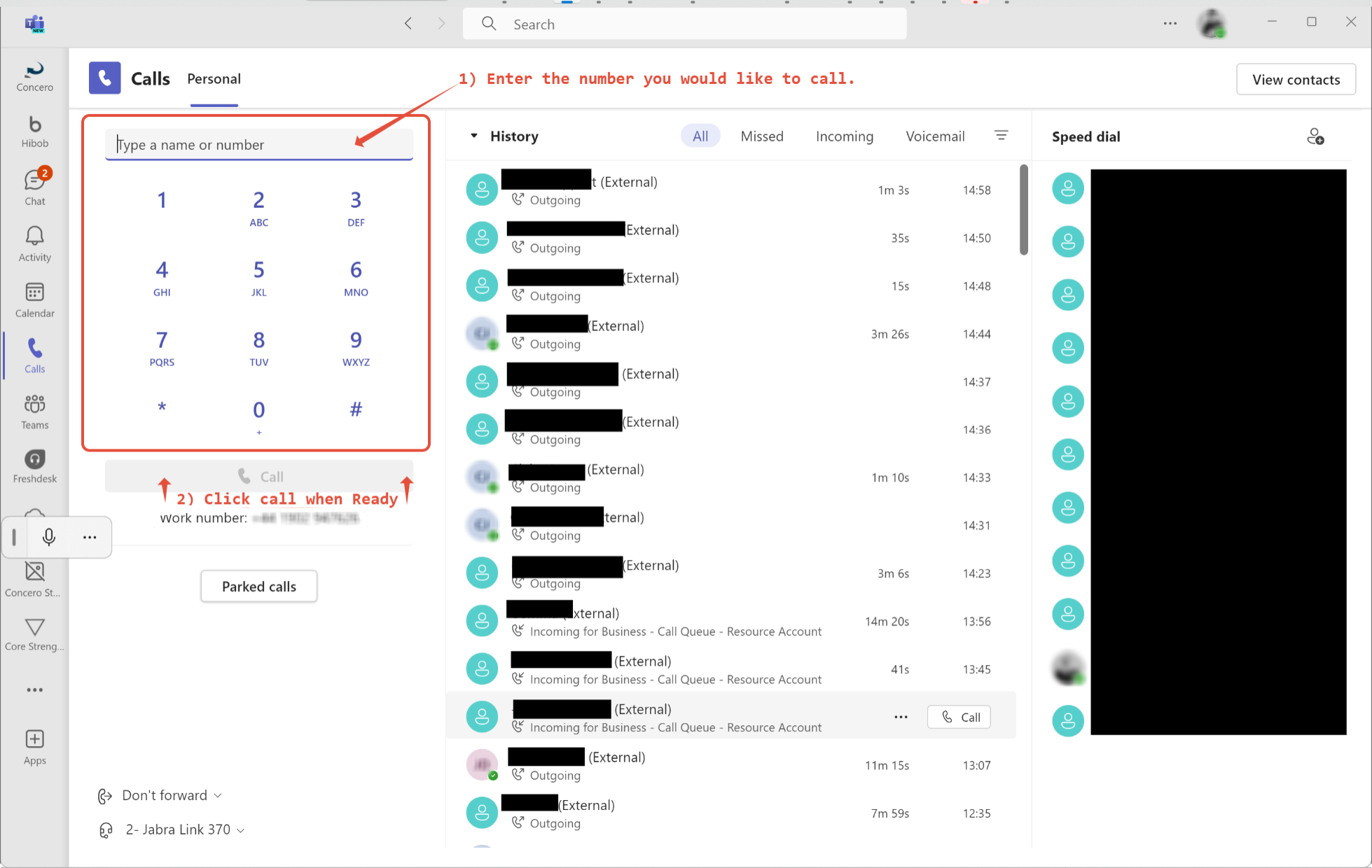
Below the dialling pad, there is your work number, this is your direct number that is linked only to you.

Was this article helpful?
That’s Great!
Thank you for your feedback
Sorry! We couldn't be helpful
Thank you for your feedback
Feedback sent
We appreciate your effort and will try to fix the article