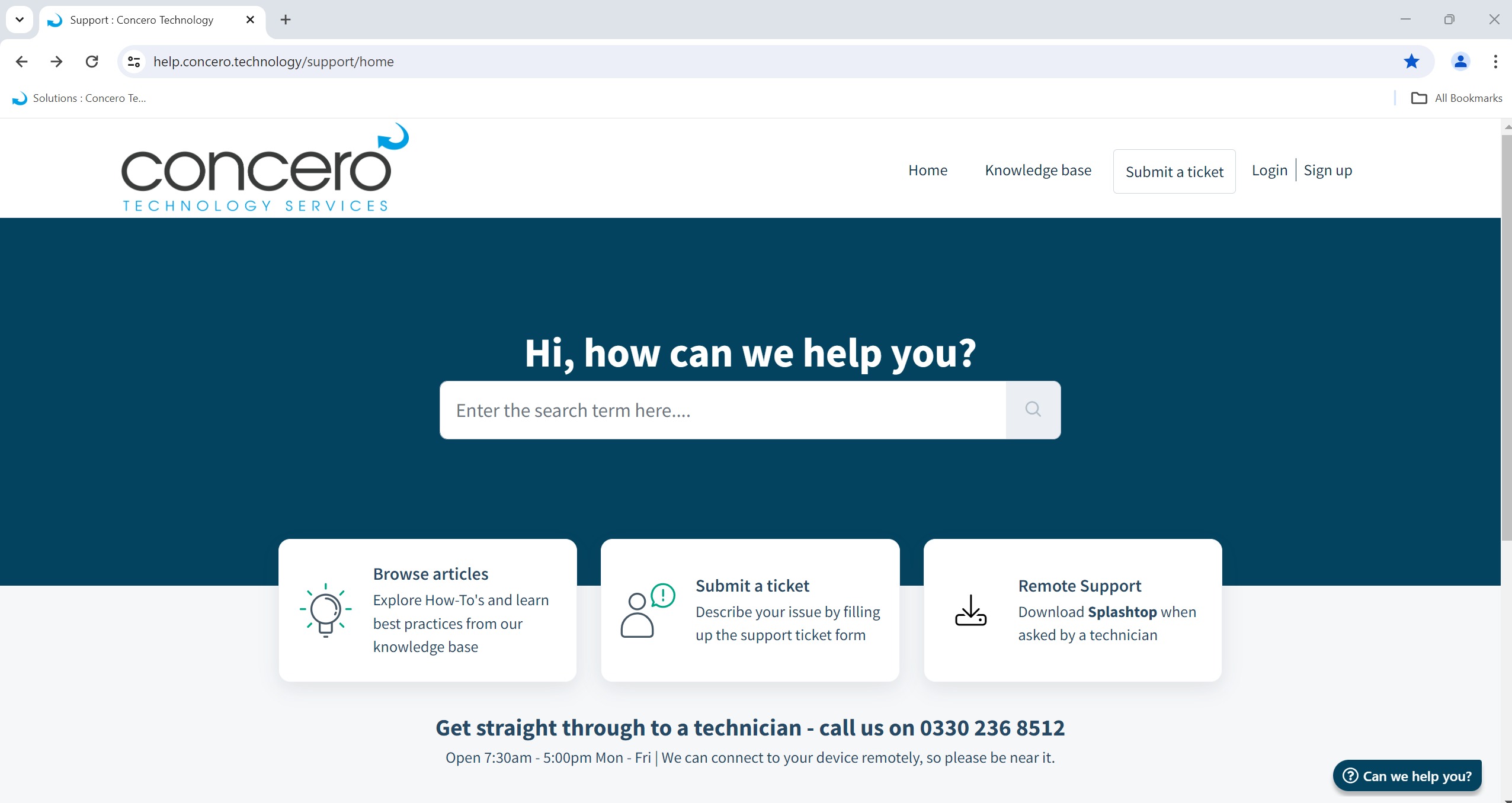
1) Open Chrome
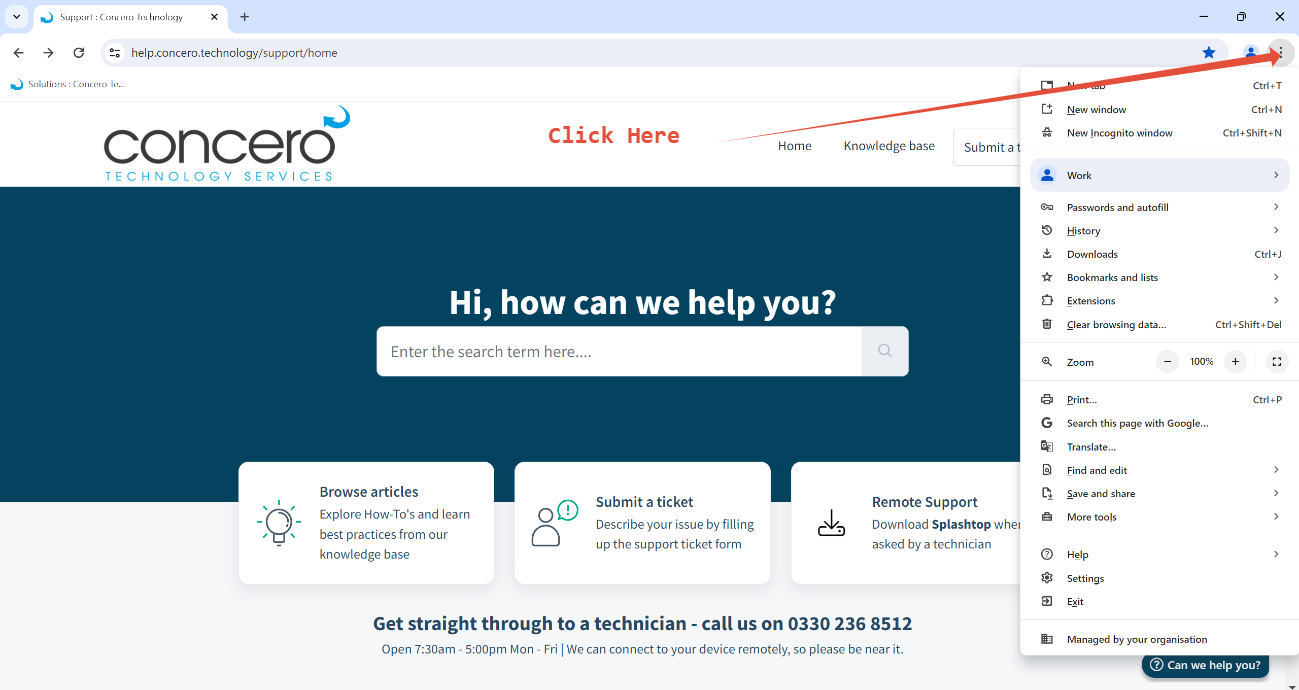
Then Click the the 3 Dots in the top right hand side
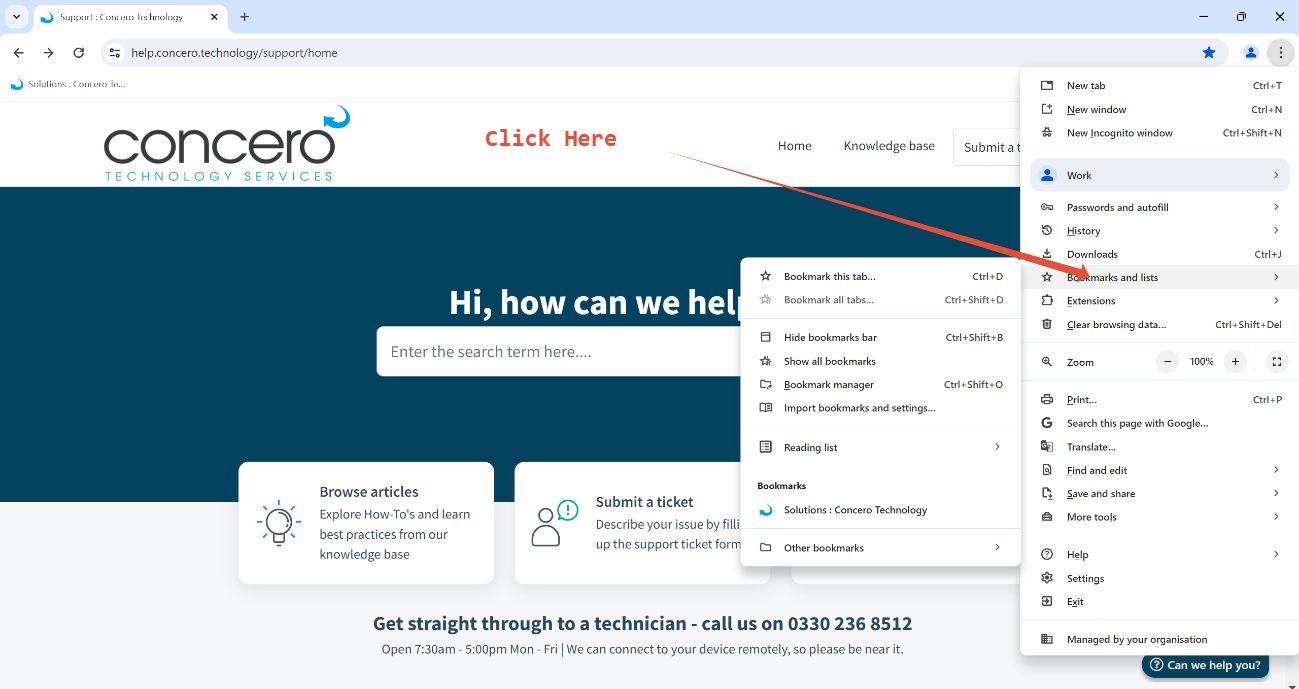
Then Go to Bookmarks and Lists
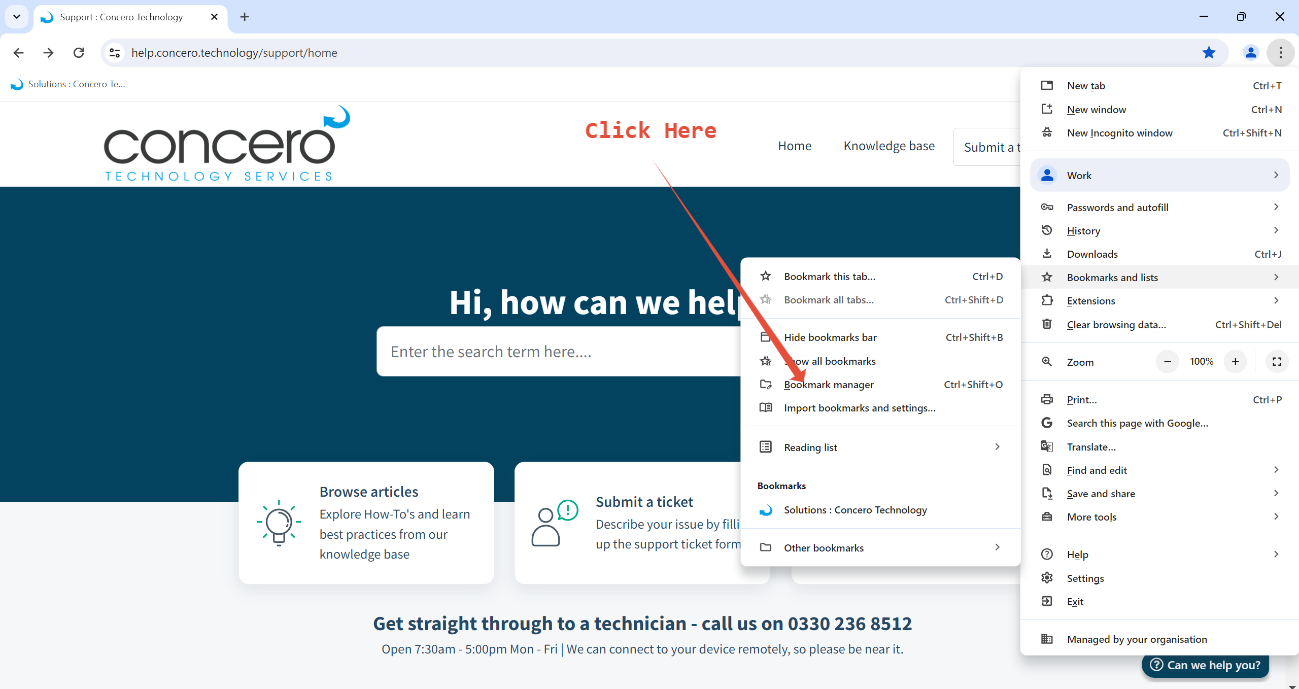
Then Go to Book Marks Manager
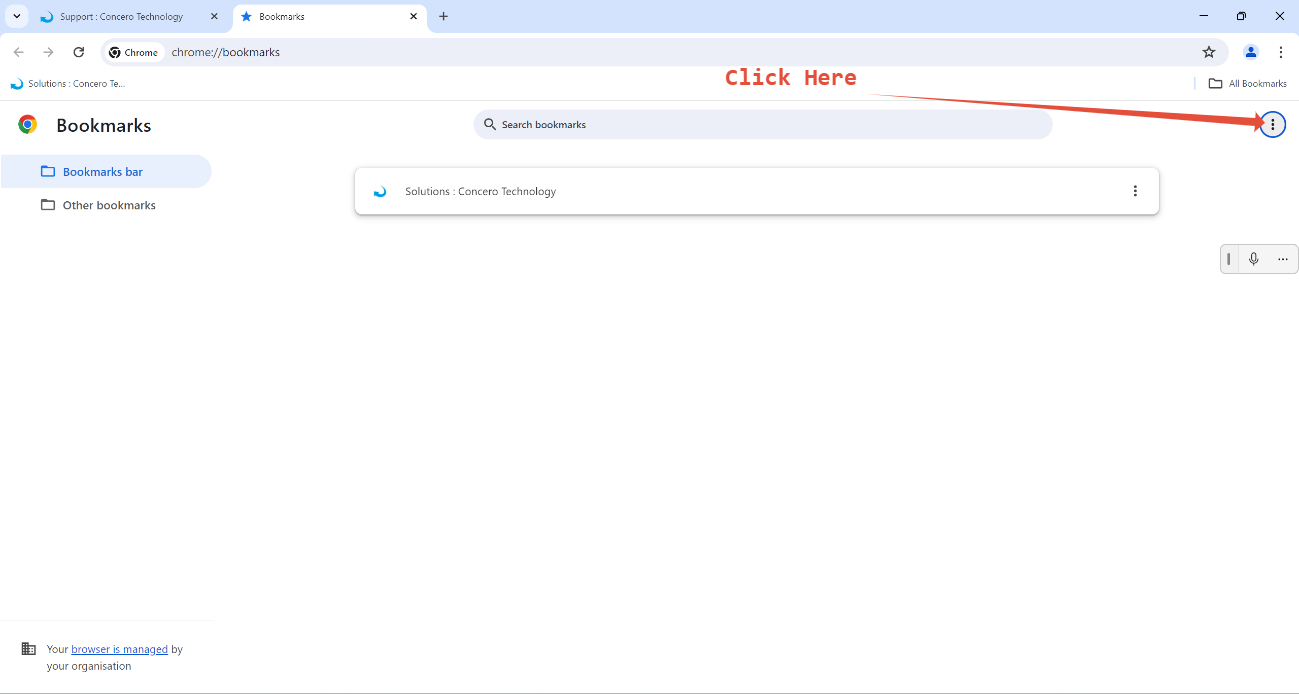
Then CLick the 3 dots on the top right of the books marks manager
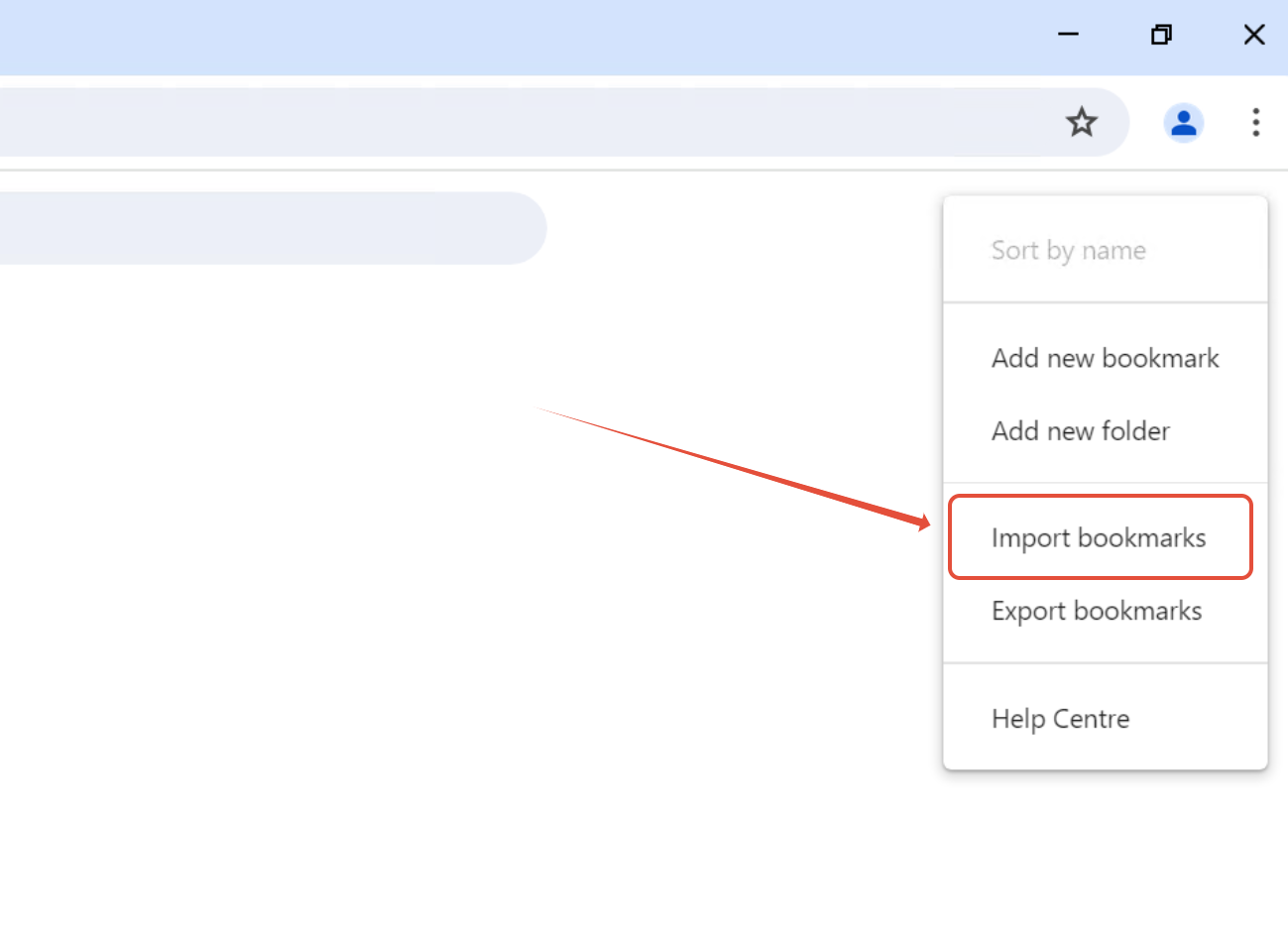
Then Click import bookmarks
The Select the HTML bookmarks file
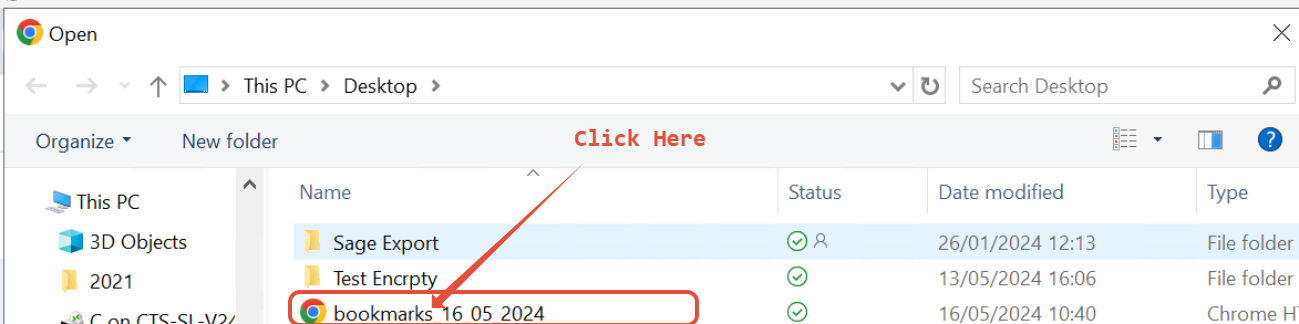
This will then import the required book marks
Was this article helpful?
That’s Great!
Thank you for your feedback
Sorry! We couldn't be helpful
Thank you for your feedback
Feedback sent
We appreciate your effort and will try to fix the article