The below article teaches you how to update your windows device. Updating your device is necessary to keep it safe and secure, it will also allow you to use all of the new Windows features which get released along with the security updates.
Step 1:
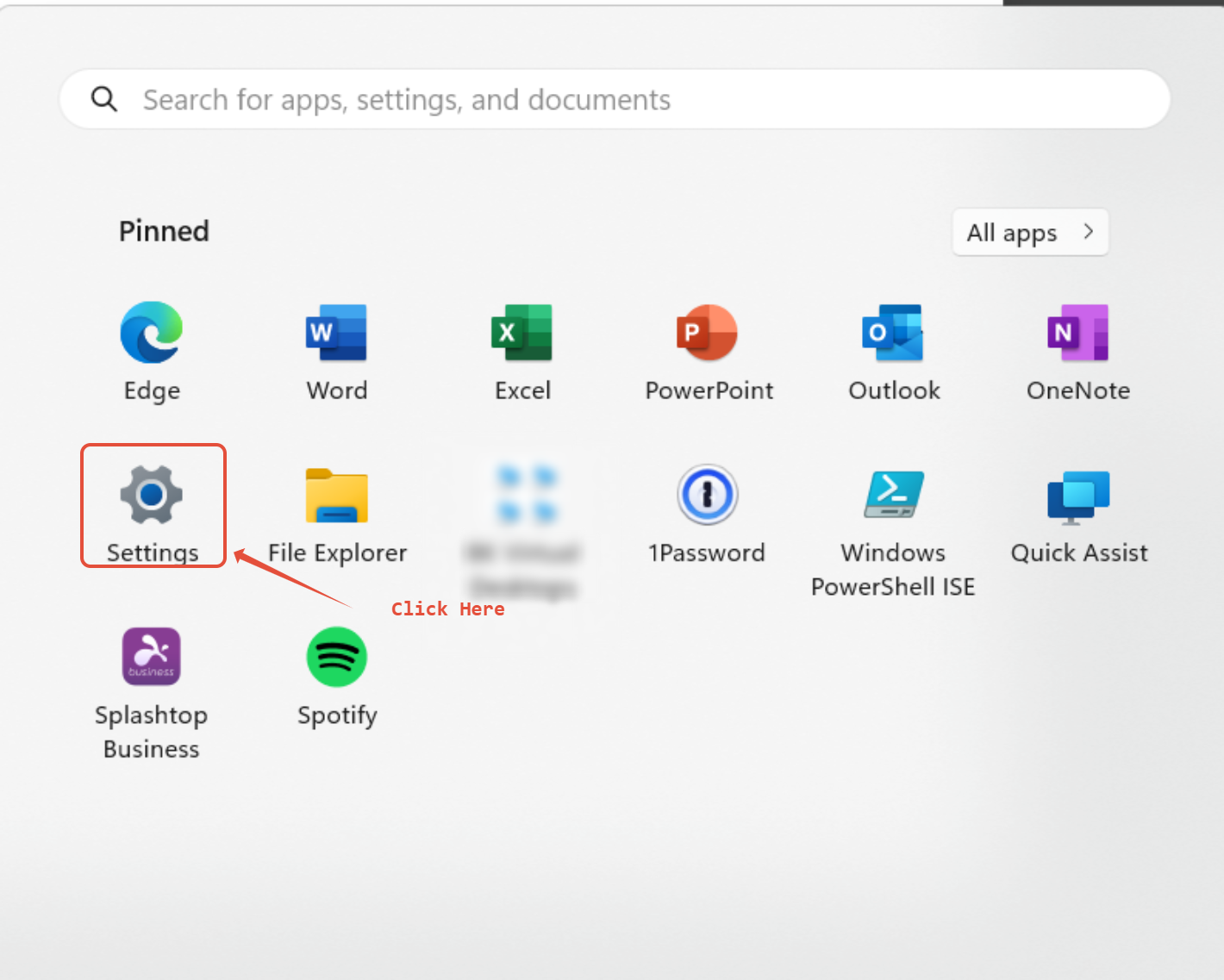
Press the start button on your computer.

Step 2:
Click the settings icon to allow you to access all the settings on your computer.
Step 3:
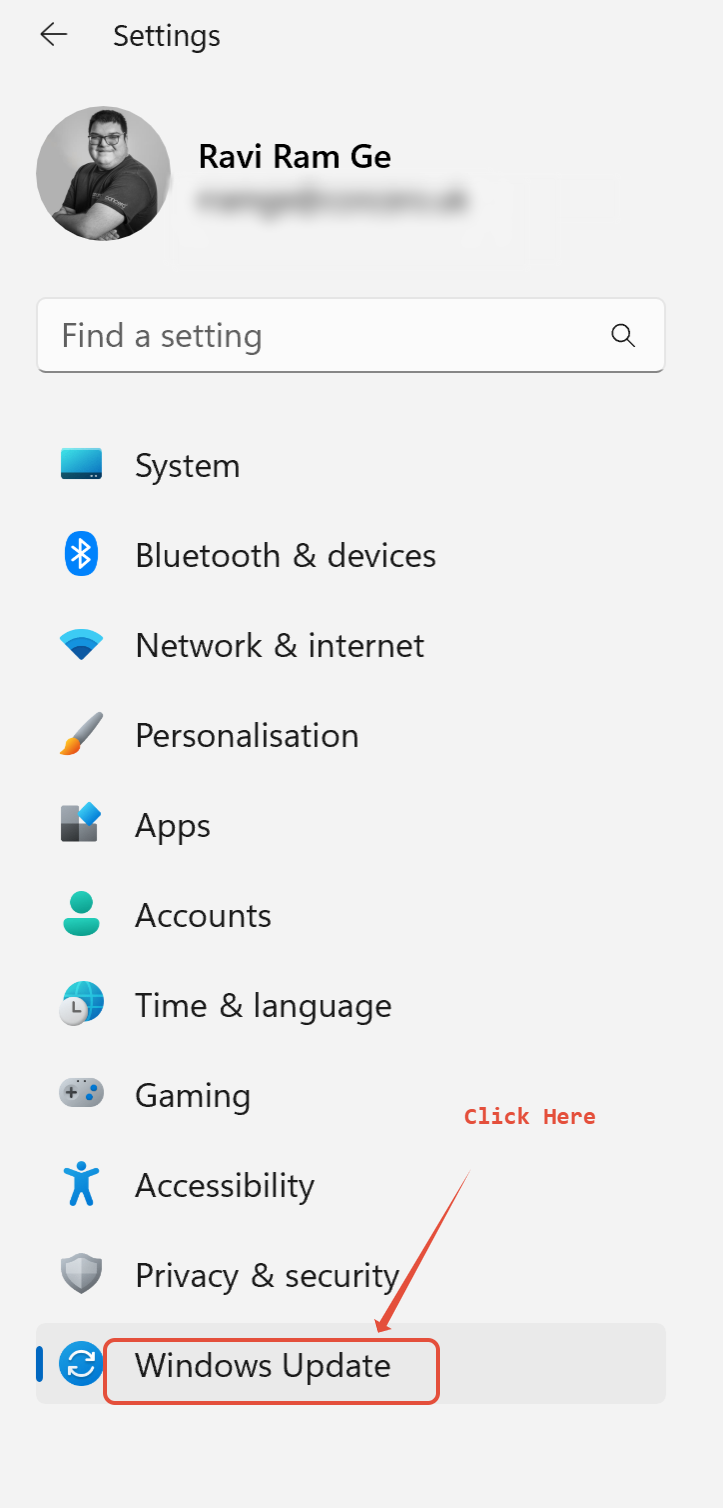
Find the "Windows Update" section, click on it.
Step 4:
You should now be on a page like this, click check for updates and your device will search for any available updates.
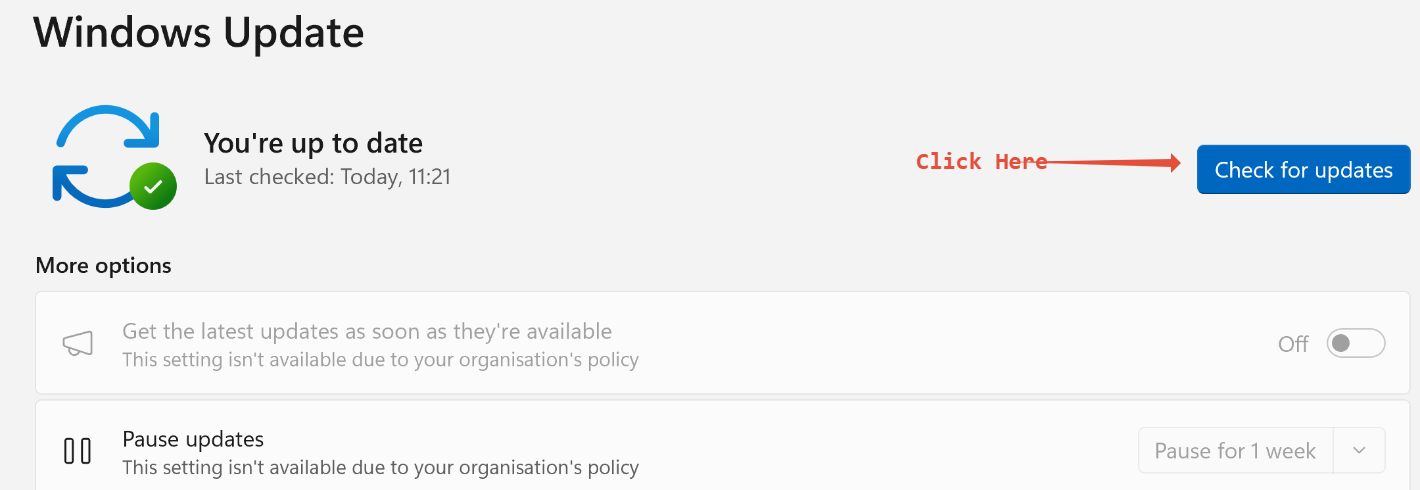
Then once your device has found available updates, click install now (your device may need to restart during the install process).
You should regularly check this to ensure your device is always safe.
Was this article helpful?
That’s Great!
Thank you for your feedback
Sorry! We couldn't be helpful
Thank you for your feedback
Feedback sent
We appreciate your effort and will try to fix the article